


PrestaShop web sitemi yeni hostinge taşıdım fakat web sitem 500 Internal Server Error Hatası veriyor diyorsanız çözümü bu şekilde bulabilirsiniz.
1- Eski hosting paneli ile yeni hosting panelinizde ki PHP sürümlerinin aynı olduğunu kontrol edin. Örneğin: 7.3 ise yeni hosting panelinde de bunu bu şekilde değiştirin.
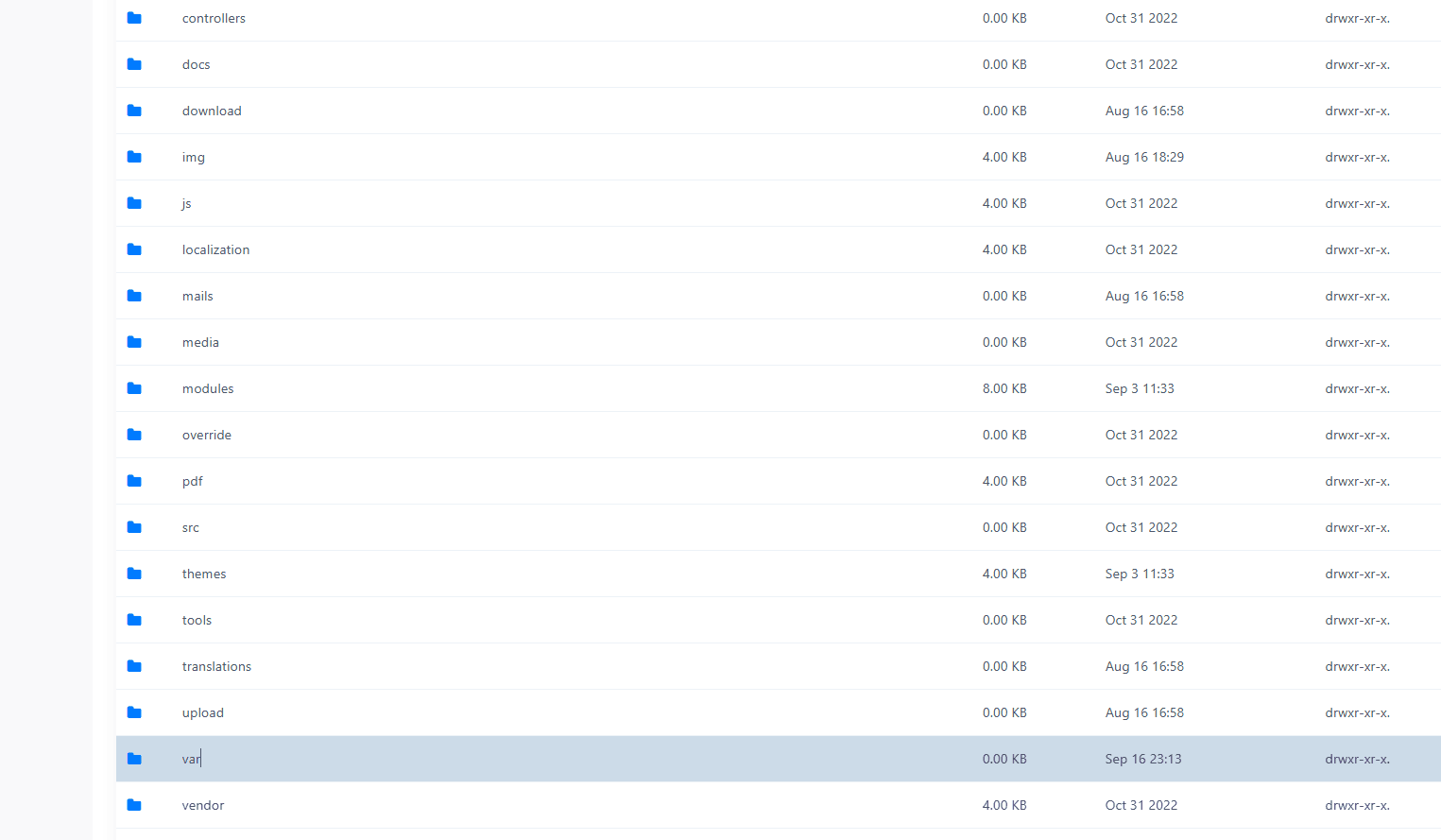
2- Yeni hosting panelinize girip dosya yöneticisi alanından ana dizindeki
cache klasörünü kalıcı olarak silin.
var > cache klasörü içindekileri kalıcı olarak silin.
Web siteniz açıldıktan sonra admin panelinize giriş yapıp panelden de cache temizlemeyi unutmayın.
Not: Plesk – Nginx kombinasyonunda yukarıda ki işlemleri yapsanız bile siteyi çalıştırma ihtimaliniz bu kadar basit olmayacaktır. Nginx yapılandırmasına göz atmalısınız.
https://devdocs.prestashop-project.org/1.7/basics/installation/nginx/server {
# IPv4.
listen 80;
listen 443 ssl http2;
# IPv6.
# listen [::]:80;
# listen [::]:443 ssl http2;
# [EDIT] Your domain name(s) go here.
server_name example.com www.example.com;
# [EDIT] Path to your domain Nginx logs.
access_log /var/log/nginx/example.com-access.log;
error_log /var/log/nginx/example.com-error.log;
# [EDIT] Path to your SSL certificates (take a look at Certbot https://certbot.eff.org).
ssl_certificate /etc/ssl/fullchain.pem;
ssl_certificate_key /etc/ssl/privkey.pem;
# [EDIT] Path to your PrestaShop directory.
root /path/to/prestashop;
index index.php;
# This should match the `post_max_size` and/or `upload_max_filesize` settings
# in your php.ini.
client_max_body_size 16M;
# Redirect 404 errors to PrestaShop.
error_page 404 /index.php?controller=404;
# HSTS (Force clients to interact with your website using HTTPS only).
# For enhanced security, register your site here: https://hstspreload.org/.
# WARNING: Don't use this if your site is not fully on HTTPS!
# add_header Strict-Transport-Security "max-age=63072000; includeSubDomains" preload; always;
# [EDIT] If you are using multiple languages.
# rewrite ^/fr$ /fr/ redirect;
# rewrite ^/fr/(.*) /$1;
# Images.
rewrite ^/(\d)(-[\w-]+)?/.+\.jpg$ /img/p/$1/$1$2.jpg last;
rewrite ^/(\d)(\d)(-[\w-]+)?/.+\.jpg$ /img/p/$1/$2/$1$2$3.jpg last;
rewrite ^/(\d)(\d)(\d)(-[\w-]+)?/.+\.jpg$ /img/p/$1/$2/$3/$1$2$3$4.jpg last;
rewrite ^/(\d)(\d)(\d)(\d)(-[\w-]+)?/.+\.jpg$ /img/p/$1/$2/$3/$4/$1$2$3$4$5.jpg last;
rewrite ^/(\d)(\d)(\d)(\d)(\d)(-[\w-]+)?/.+\.jpg$ /img/p/$1/$2/$3/$4/$5/$1$2$3$4$5$6.jpg last;
rewrite ^/(\d)(\d)(\d)(\d)(\d)(\d)(-[\w-]+)?/.+\.jpg$ /img/p/$1/$2/$3/$4/$5/$6/$1$2$3$4$5$6$7.jpg last;
rewrite ^/(\d)(\d)(\d)(\d)(\d)(\d)(\d)(-[\w-]+)?/.+\.jpg$ /img/p/$1/$2/$3/$4/$5/$6/$7/$1$2$3$4$5$6$7$8.jpg last;
rewrite ^/(\d)(\d)(\d)(\d)(\d)(\d)(\d)(\d)(-[\w-]+)?/.+\.jpg$ /img/p/$1/$2/$3/$4/$5/$6/$7/$8/$1$2$3$4$5$6$7$8$9.jpg last;
rewrite ^/c/([\w.-]+)/.+\.jpg$ /img/c/$1.jpg last;
# AlphaImageLoader for IE and FancyBox.
rewrite ^images_ie/?([^/]+)\.(gif|jpe?g|png)$ js/jquery/plugins/fancybox/images/$1.$2 last;
# Web service API.
rewrite ^/api/?(.*)$ /webservice/dispatcher.php?url=$1 last;
# Installation sandbox.
rewrite ^(/install(?:-dev)?/sandbox)/.* /$1/test.php last;
location / {
try_files $uri $uri/ /index.php$is_args$args;
}
# [EDIT] Replace 'admin-dev' in this block with the name of your admin directory.
location /admin-dev/ {
if (!-e $request_filename) {
rewrite ^ /admin-dev/index.php last;
}
}
# .htaccess, .DS_Store, .htpasswd, etc.
location ~ /\.(?!well-known) {
deny all;
}
# Source code directories.
location ~ ^/(app|bin|cache|classes|config|controllers|docs|localization|override|src|tests|tools|translations|var|vendor)/ {
deny all;
}
# vendor in modules directory.
location ~ ^/modules/.*/vendor/ {
deny all;
}
# Prevent exposing other sensitive files.
location ~ \.(log|tpl|twig|sass|yml)$ {
deny all;
}
# Prevent injection of PHP files.
location /img {
location ~ \.php$ { deny all; }
}
location /upload {
location ~ \.php$ { deny all; }
}
location ~ [^/]\.php(/|$) {
# Split $uri to $fastcgi_script_name and $fastcgi_path_info.
fastcgi_split_path_info ^(.+?\.php)(/.*)$;
# Ensure that the requested PHP script exists before passing it
# to the PHP-FPM.
try_files $fastcgi_script_name =404;
# Environment variables for PHP.
include fastcgi_params;
fastcgi_param SCRIPT_FILENAME $request_filename;
fastcgi_index index.php;
fastcgi_keep_conn on;
fastcgi_read_timeout 60s;
fastcgi_send_timeout 60s;
# Uncomment these in case of long loading or 502/504 errors.
# fastcgi_buffer_size 256k;
# fastcgi_buffers 256 16k;
# fastcgi_busy_buffers_size 256k;
# [EDIT] Connection to PHP-FPM unix domain socket.
fastcgi_pass unix:/var/run/php/php-fpm.sock;
}
}Bilgiyi uygulanabilir projeye dönüştürelim.
İhtiyacınızı teknik, operasyonel ve ticari açıdan değerlendirip doğru çözüm yol haritasını birlikte oluşturalım.
Projenizi Anlatın